
Product / AI CPD Coach
The coach asks the questions. You write the answers. Always.
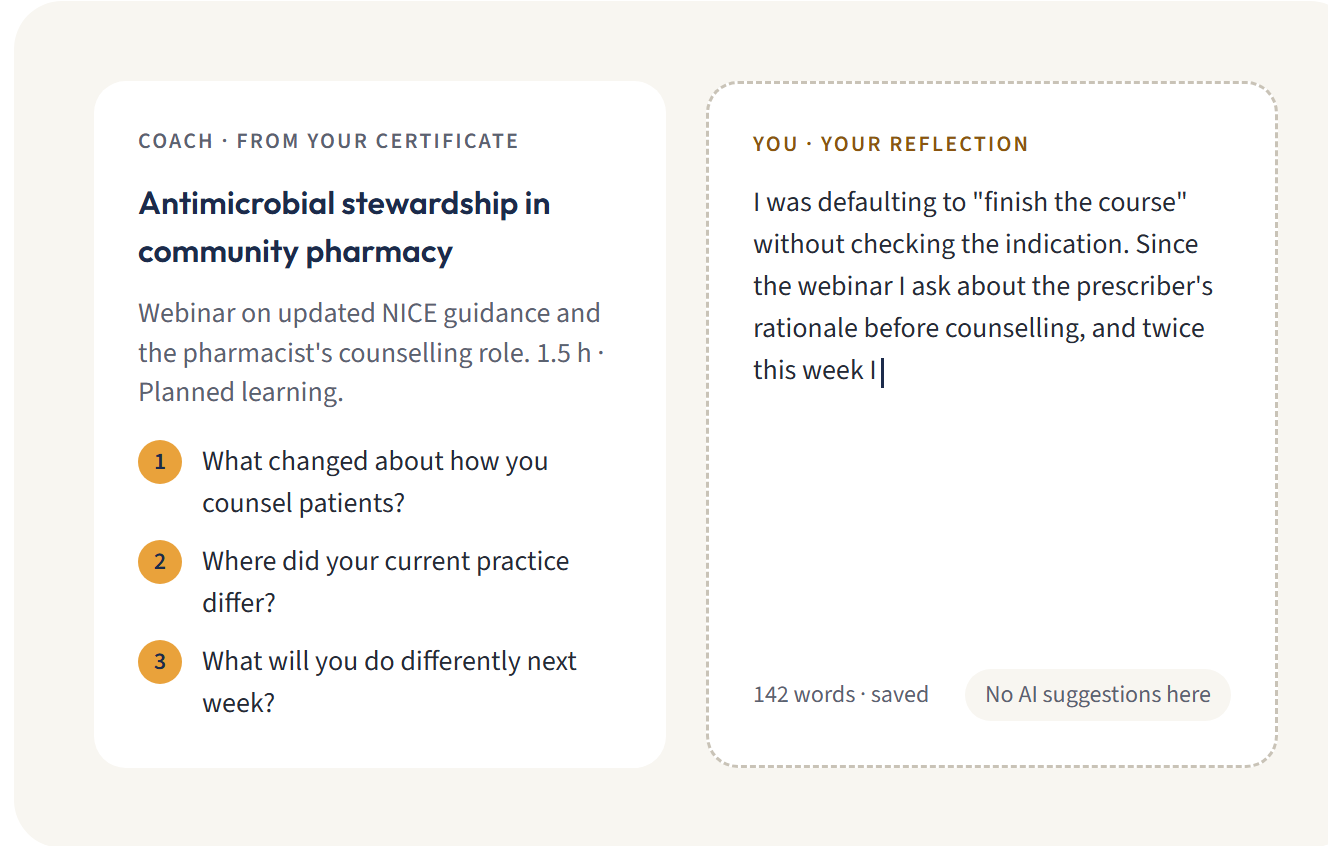
Start from a photo of your certificate. The coach drafts the facts, asks what you learned and checks your entry against your scheme's standard. It never writes your reflection.
✓ The coach does
- Reads a photo or PDF of your certificate
- Drafts the title, date, provider, category and a factual description. Each is marked "check and confirm" until you do.
- Quotes the CPD hours or points stated on the certificate
- Asks up to five questions specific to what you learned and how it changes your practice
- When you ask, rates your entry red, amber or green against your scheme's standard, with a checklist and what to think about adding
✕ The coach refuses to
- Write, draft or finish your reflection
- Give you sentences to paste in
- Invent learning you didn't do. It only reads the evidence you give it.
- Review anything you haven't asked it to review
- Submit anything to anyone on your behalf
Before the auditor sees it
See your entry the way an auditor will. Before they do.
Press Review my entry and the coach checks it against the same standard your professional body uses. You get a colour, a checklist showing what each part of the standard asks for and whether your entry shows it, and pointers on what to consider adding.
Fix it now, while you remember the course. Not in a panic when the letter arrives.
Why the boundary
Your professional body wants your reflection, not a machine's.
An audit checks that you thought about what you learned and changed something as a result. Regulators expect your record to be your own work: the HCPC says your CPD profile must be, and this year the GPhC and the RCGP both published guidance saying AI shouldn't write your reflections or submissions (what each regulator says).
A reflection you didn't write is a reflection you can't defend. Some tools will draft it for you. Ours asks better questions instead, so the two minutes you spend are yours, and so is the record.
For associations
For your auditors: AuditAssist.
When a member submits for audit, AuditAssist checks every entry against your quality standard and gives your auditor a colour, a checklist and a short note on where to look first. Auditors can drop its suggested points into their feedback and edit them.
It never passes, fails or refers anyone back. Your auditor decides, every time.
Members can run the same check before they submit, so fewer submissions need to come back.
Data handling
What is sent, what is kept, and for how long.
Written for data protection officers. If it doesn't answer your question, ask us.
What is sent
The certificate or document you choose, and the text of your entry, with your name taken out. Your scheme's standard and categories go with it.
What is never sent
Your name, email address, membership number, employer or team.
Where it's processed
In the EU, on Amazon Bedrock. Anthropic, which makes the model, never sees what's sent.
Training
Nothing we send is used to train any AI model.
What we keep
The drafted details and the review stay with your entry, as part of your record. Raw responses from the model are kept for 90 days for troubleshooting, then deleted. Delete the entry and its reviews go with it.
Switching it off
You can switch AI help off in your profile at any time. Your association can switch it off for the whole scheme.
For professionals
Included when your professional body runs RiverCPD.
On a sector platform, it comes with RiverCPD Pro at £18 / $24 a year. Through your association, it's part of what your association pays for.
For associations
Included in the platform, with a monthly allowance based on your membership.
Book a demo and bring your data protection officer's questions.